Select Device Freestyle Lingo Freestyle Libre 3 Freestyle Libre 2 Freestyle Libre 14 Day Dexcom G7 Dexcom G6 Dexcom Stelo Guardian Connect Medtronic Simplera Eversense Meter Omnipod Omnipod Dash Medtronic 780G Medtronic 630G Tandem t:slim X2 Bigfoot Unity Medtronic InPen Tempo Pen NovoPen 6/NovoPen Echo Insulin Pen Afrezza CeQur Simplicity Patch V-Go Patch Omnipod GO Patch Syringe and Vial Beta Bionics iLet Pancreas Control IQ with Dexcom Control IQ with Freestyle Libre Medtronic 780G with Smart Guard Omnipod 5 Tandem Mobi Tidepool Loop twiist DIY Loop Apple Series 6/7/8/9/10/SE (2nd Generation) Garmin vívosmart 5™ Garmin Venu Sq 2 Garmin Venu 3 Garmin vivoactive 5 Garmin Fenix 8 Garmin vivofit jr 3 Garmin Forerunner 165/265/965 Garmin epix (Gen 2) Garmin Enduro 3 Fitbit Ace LTE Fitbit Charge 6 Fitbit Inspire 3 Fitbit Versa/Versa 2/4/Versa Lite Fitbit Sense 2 Fitbit Luxe Google Pixel 2/3 Samsung Galaxy 4/5 Xiaomi Mi Band 9 Oura Ring Whoop 4.0 Withings ScanWatch 2 Withings ScanWatch Lite Pedometer 3D Pedometer
Select Device Freestyle Lingo Freestyle Libre 3 Freestyle Libre 2 Freestyle Libre 14 Day Dexcom G7 Dexcom G6 Dexcom Stelo Guardian Connect Medtronic Simplera Eversense Meter Omnipod Omnipod Dash Medtronic 780G Medtronic 630G Tandem t:slim X2 Bigfoot Unity Medtronic InPen Tempo Pen NovoPen 6/NovoPen Echo Insulin Pen Afrezza CeQur Simplicity Patch V-Go Patch Omnipod GO Patch Syringe and Vial Beta Bionics iLet Pancreas Control IQ with Dexcom Control IQ with Freestyle Libre Medtronic 780G with Smart Guard Omnipod 5 Tandem Mobi Tidepool Loop twiist DIY Loop Apple Series 6/7/8/9/10/SE (2nd Generation) Garmin vívosmart 5™ Garmin Venu Sq 2 Garmin Venu 3 Garmin vivoactive 5 Garmin Fenix 8 Garmin vivofit jr 3 Garmin Forerunner 165/265/965 Garmin epix (Gen 2) Garmin Enduro 3 Fitbit Ace LTE Fitbit Charge 6 Fitbit Inspire 3 Fitbit Versa/Versa 2/4/Versa Lite Fitbit Sense 2 Fitbit Luxe Google Pixel 2/3 Samsung Galaxy 4/5 Xiaomi Mi Band 9 Oura Ring Whoop 4.0 Withings ScanWatch 2 Withings ScanWatch Lite Pedometer 3D Pedometer
Summary
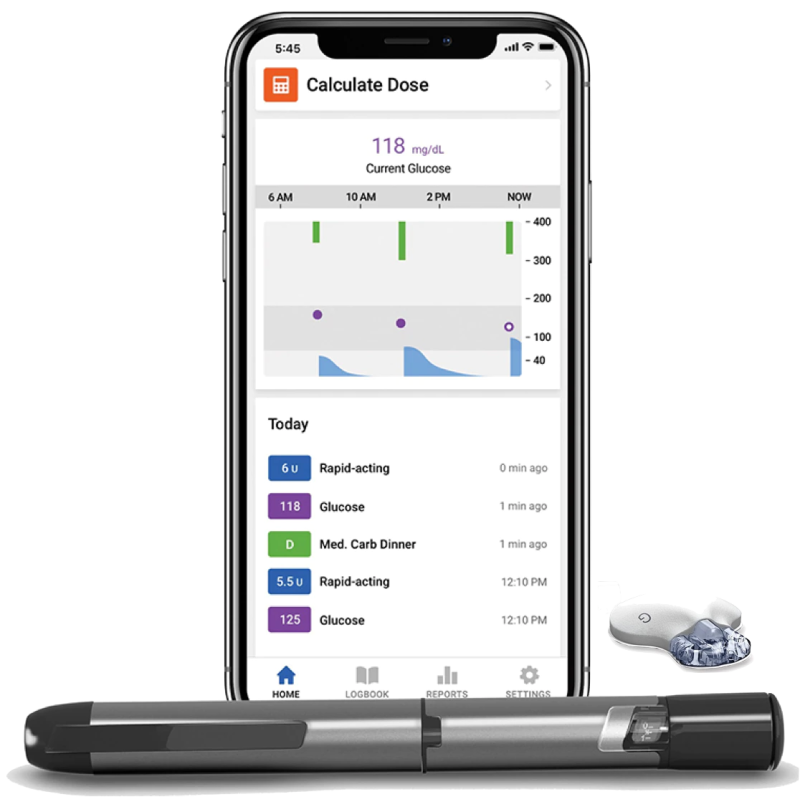
The InPen system enhances management with multiple daily injections because it tracks data in real-time and offers personalized dosing recommendations. This system combines the Guardian Connect CGM with smart insulin pens for more time in range.
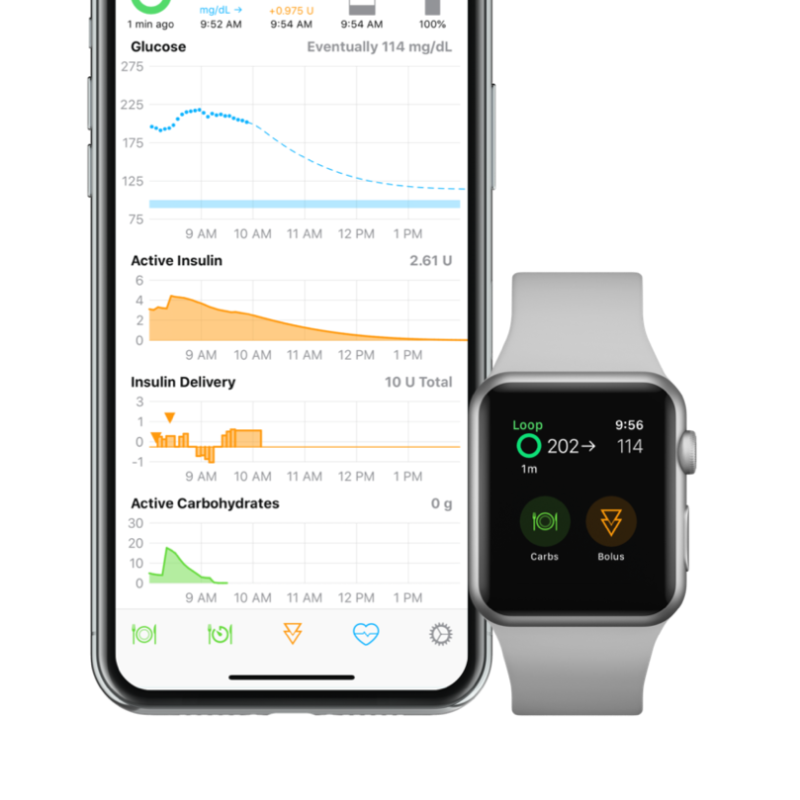
Loop is a DIY (do-it-yourself) system. It takes some work to set up but allows people to think about diabetes less by automating basal insulin delivery based on predicted glucose levels. This system can be used with the Dexcom G6 and the Omnipod or Medtronic pumps. Information about DIY Loop can be found on the Loop or Riley Link websites.
Components
Medtronic InPen : Sensor
Sensor is inserted underneath the skin, either on the abdomen or arm. InPen is compatible with the Medtronic Guardian Connect sensor (left) or the Dexcom G6 sensor (right).
Medtronic InPen : Cartridge
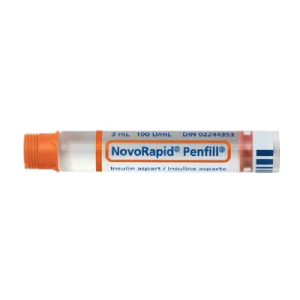
InPen is compatible with Humalog, Novolog, and Fiasp U-100 3.0 mL insulin cartridges.
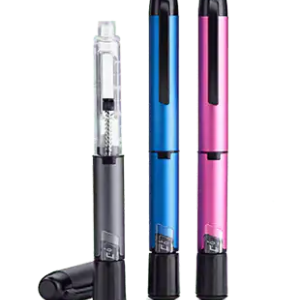
Medtronic InPen : Controller
Inpen connects to a mobile app and displays dosage information directly on a smart mobile device.
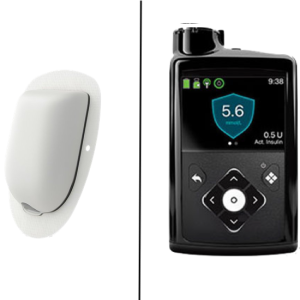
Loop : Pump
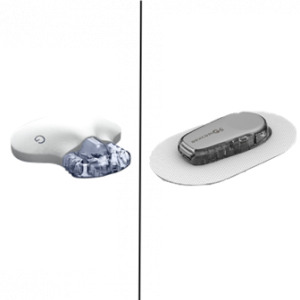
The system is compatible with Omnipod (left) or Medtronic (right) pumps. Both options can be applied anywhere on the body that is comfortable.
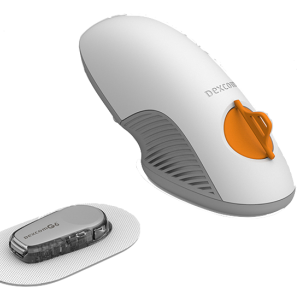
Loop : Sensor
Automatic applicator inserts sensor just under the surface of the skin and can be applied to many places on the body.
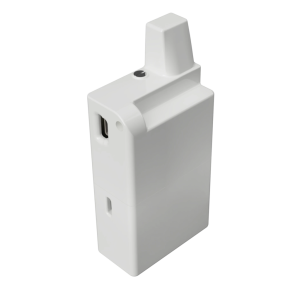
DIY Loop : Transmitter
RileyLink allows the pump and sensor to communicate. It is only required if a Medtronic pump is used.
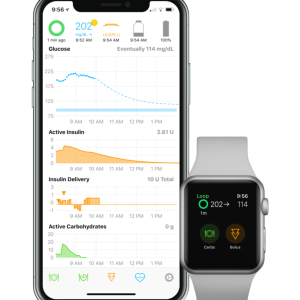
Loop : Controller
Smartphone or smartwatch receives CGM readings and automatically adjusts insulin delivery via an Omnipod or Medtronic pump.
Device Details
Overview
Discreet and modern option for people using multiple daily injections.
This is a DIY (do-it-yourself) system that needs significant setup. It has the most flexibility in settings and device options. It also depends on a third device called a "Riley Link" to communicate between sensor, phone, and pump.
Affordability and Access
$$$$
Widely covered. InPen is covered by many insurance companies, typically users pay $50-$60 out-of-pocket copays for the one-year device. Prices range from $0- $549. For those without any insurance coverage, the pen's full price is $549.
$$$$
Supplies can be covered for Omnipod or Medtronic pumps and Dexcom. Price range; $0-$8,574 to start and 0-$300/month. iPhone, app, and Riley link are not covered and must be set up independently. Riley link price range; $135-$165.
Data Monitoring Options
Yes
Data can be easily shared with a healthcare provider or family members directly through the InPen app.
Yes
Compatible with Tidepool - a web-based diabetes data management system.
Data View Options
Yes
Data can be viewed on the InPen mobile app with dosage recommendations, glucose readings, and glucose trends.
Yes
Data can be viewed on an iPhone.
Duration and Storage
12-month pen 7-day sensor
Sensor lasts for 7 days, insulin pen lasts for up to 12 months with refillable cartridges, transmitter is rechargeable. Sensor can be stored between 36°F - 86°F and pens can be kept at room temperature.
3-day pump 10-day sensor
Sensors last 10 days and transmitters last 90, and work at 50ºF – 108ºF. Pods or pump reservoirs last for up to 72 hrs and work from 40ºF – 104ºF.
Vision / Auditory / Dexterity
NO text to speech
NO vibration alerts
A LOT of dexterity needed
NO text to speech
YES vibration alerts
A LOT of dexterity needed
Patient Considerations
Active Lifestyle
Light on body. Pens are easy to use and do not remain attached to the body, sensor is waterproof.
Automatic responses. Can set custom blood sugar targets and insulin and carb sensitivities based on type of activity. App automatically responds to blood sugar changes during activity. *Medtronic option is not waterproof. Omnipod option is fully waterproof.
Avoiding Highs and Lows
Limited customizability. System integrates the Guardian Connect CGM for high or low alerts but requires manual dose adjustment and limits the ability to adjust insulin levels throughout the day.
Automatically adjusts insulin delivery. Increases or decreases insulin delivery to meet glucose targets. Insulin delivery settings can be aggressive or conservative.
Comfort
Many components. Have to carry InPen and pen needles. CGM is attached to the body and requires more tape than other sensors.
Low-profile but extra device. Low profile/low maintenance sensor. The RileyLink is an extra device that must be carried.
Easy Insulin Dosing
Dosing recommendations. Displays dosing recommendations and reminders for long-acting insulin.
All settings are completely customizable. Can bolus from phone or smartwatch. Can operate “open-loop” where the user must enact insulin delivery based on recommendations or “closed-loop” where modifications to insulin delivery are automatically delivered.
Easy to Use
Simple design. Replaces regular insulin pen. No additional devices to add on.
Difficult set-up but easy to use. Software makes most dosing decisions. Requires many parts. Can be difficult to set up.
Fewer Fingersticks
2 daily finger-sticks are needed to calibrate the sensor.
Factory-calibrated sensor. Fingersticks needed for backup only.
Privacy
Hideable. Pens are portable but visible when in use. Frequent injections are unavoidable. View recommendations and data on a smartphone.
Discreet. Ability to give insulin via watch or phone. Ability to check sugar on phone or watch. Alerts available. *Medtronic pump has tubing. Omnipod is most hideable pump option (no tubes or separate controller needed).